A discreet classroom support signal that helps students communicate what they need without drawing unwanted attention.
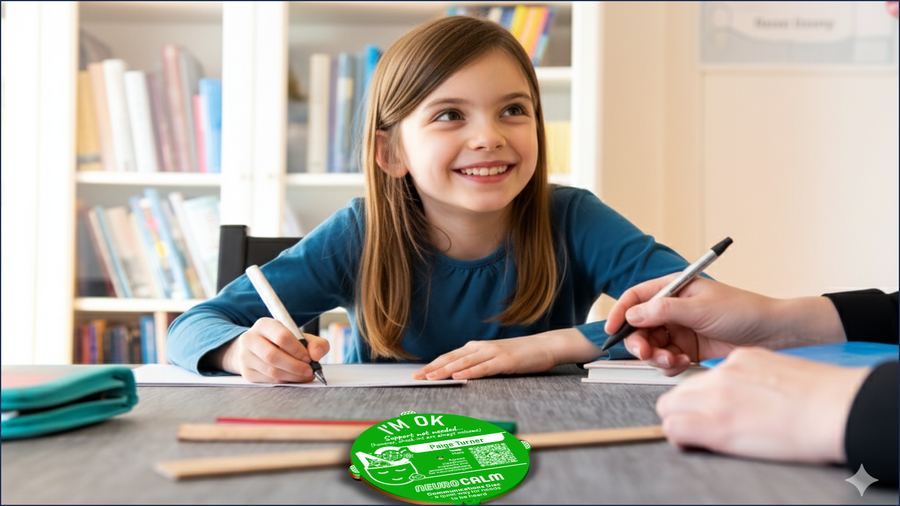
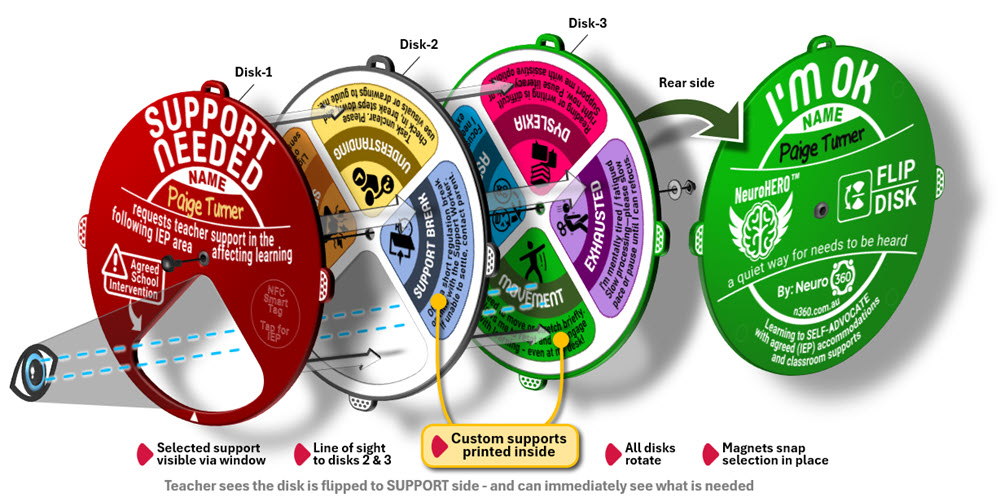
The NeuroCALM Flip Disk sits on a student's desk. Two faces — I'm OK (green) and Support Needed (red). When a student needs help, they flip the disk to red. The inner layer rotates to reveal through a window exactly what kind of support — already pre-set to their agreed accommodations.
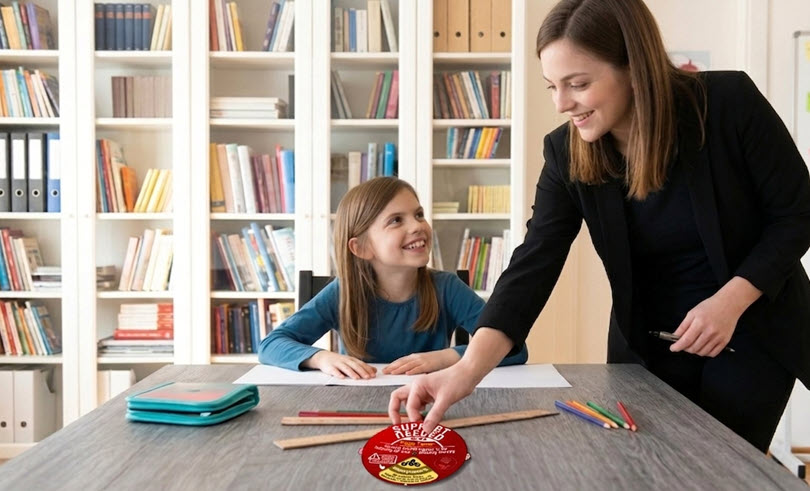
The teacher sees the disk, understands the need, and responds. No words. No disruption. No spotlight.
"A quiet way for needs to be heard."
Tap the disk with any NFC-enabled phone to instantly access the student's agreed supports, accommodations, and key information — no login or app required.

Pre-set support wedges — personalised to each student's accommodations
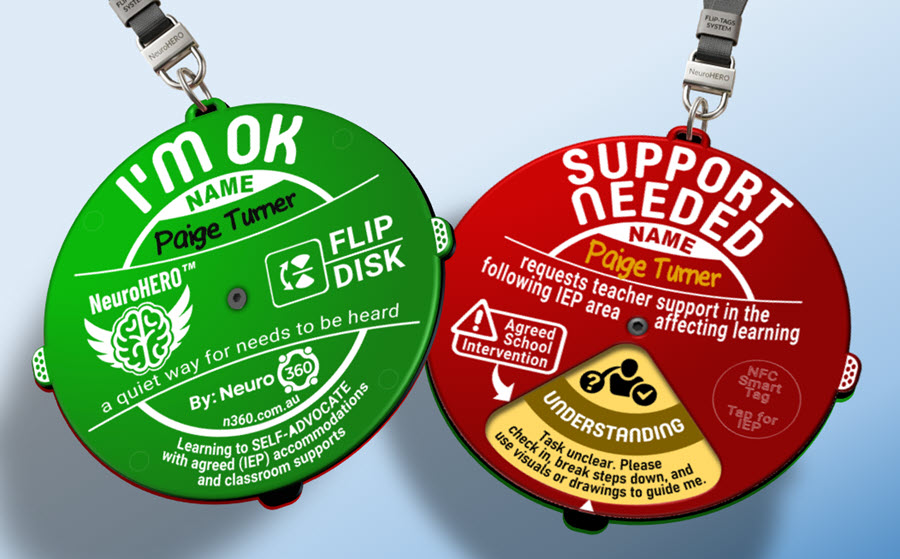
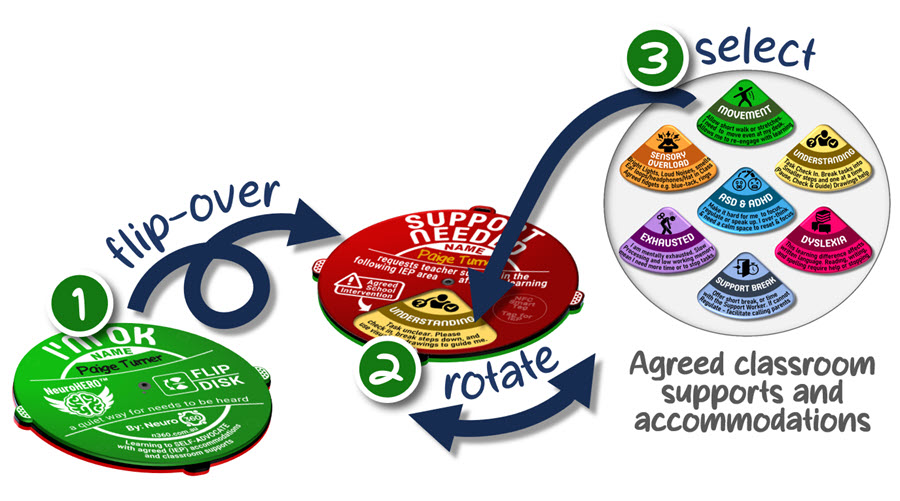
When support is needed, the student flips the disk from green to red. Silent. Private. No interruption to the class.
Rotate the inner layer to align the correct support wedge with the window — showing exactly what's needed.
The teacher sees the disk, reads the support type, and knows exactly what to do — no questions, no fuss.
This visual shows the simple interaction sequence students use to quietly communicate their classroom support need - first by flipping the disk, then rotating the inner layer, then selecting the agreed support or accommodation.
A layered acrylic construction — the outer disk flips to signal status, the inner layer rotates to reveal the support type through a window.
Join our community of early adopters, educators, families and advocates. Be the first to hear about trials, updates and new releases — and help build something that actually works.
Thanks for joining the NeuroHERO community. We'll be in touch soon with updates and opportunities to get involved.
 Home
Home Flip Tags
 Flip Disk
 Voice
Voice Assist